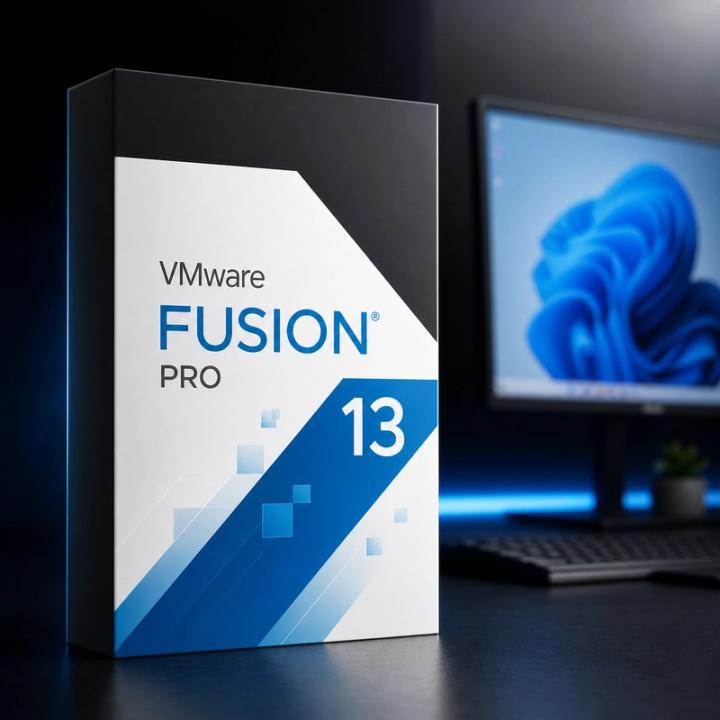
VMware Fusion Pro 13
$5.63 with BF40
In stock
Works in: North America only
Sold by Get it Cheap, LLC · Is this legit?
- Key in your accountDelivered automatically once payment is confirmed.
- Setup guideStep-by-step installation and activation, next to your key.
- Won’t activate?Report it within 14 days and we replace or refund it · Refund Policy
Overview
Use a Mac to host separate virtual-machine environments for development, testing and compatible guest applications. VMware Fusion Pro 13 for Mac runs Windows, Linux and other operating systems in virtual machines on Apple-silicon and Intel Macs. Version 13 runs Windows 11 with a virtual TPM, and on Apple silicon runs Arm versions of Windows and Linux. The Pro edition adds linked clones, custom virtual networks, a REST API and connections to vSphere and ESXi servers. Create a virtual machine, choose a compatible guest operating system and assign the resources it needs. The guest runs in its own environment, which is useful for trying software, maintaining a test setup or keeping a development task separate from the Mac's everyday configuration. Virtual-machine storage also keeps the guest installation together as a defined environment rather than scattering it through the host system. The Mac processor and Fusion generation determine which guest architectures can run. Intel and Apple silicon are not interchangeable targets, and the ability to use an application inside a guest depends on that guest's operating system and architecture. Plan memory and disk capacity for both the Mac and the virtual machines that will be active at the same time. Fusion is the host virtualization application; guest operating systems and commercial software require their own licences. This licence does not include vendor support or an upgrade to another Fusion generation. Check that your Mac and macOS version are supported.
Features
- VMs on Apple silicon and Intel Macs
- Windows 11 with virtual TPM
- Linked clones
- Custom virtual networks
- Connect to vSphere and ESXi
Specs
- Platform
- Mac
- License type
- Retail
- Devices
- 1 Device
- Region restrictions
- North America
- Activation
- Product key
- Duration
- Lifetime
Lifetime means the license does not expire. It does not mean the publisher still updates or supports this version — that can end earlier.
FAQ
What exactly am I buying, and what will I receive?
You are buying the digital software licence or subscription described on the product page. Depending on the product, you will receive an activation key, an activation link, or instructions for accessing a subscription through a publisher account. Check the licence type, activation method, number of devices and duration before ordering. No physical item is shipped.
How do I know this is the right version for me?
Check the product’s edition, included applications, operating-system requirements and activation method. Versions with similar names can have different features or requirements. Make sure the selected offer also matches the number of devices and subscription duration you need. If anything is unclear, send us the product link and your requirements before buying.
Why are prices lower, and who am I buying from?
Prices depend on the seller and the exact offer, including the software edition, licence type, number of devices and duration. Check the product details and seller information when comparing offers. Learn more about Get it Cheap and what to check before buying on our Is this legit? page.
Can I use the software for work or business?
That depends on the licence offered. Educational, personal-use and commercial licences can have different restrictions. A product name containing “Professional” does not, by itself, establish its permitted use. Check the product description for eligibility and usage restrictions. If you need the software for paid work or a company, ask us before purchasing if the permitted use is unclear.
How many devices can I use, and will it work in my country?
The product page shows the device allowance and region. Select the offer that matches your needs; buying a quantity of one does not automatically mean unlimited devices. Check any country restrictions and publisher requirements as well. A Global label does not override the publisher’s terms or service availability.
How and when will I receive my purchase?
Delivery starts automatically after payment is confirmed. Your key or access details appear in your order when fulfilment succeeds. The confirmation email contains a link back to your order. Receiving access details and completing activation are separate stages. Account-based products may require an email invitation or another publisher action before the software becomes available. Check the product description for any additional timing information. See our Delivery Policy.
Do I need a Get it Cheap account or a software publisher account?
You can start checkout as a guest. Use an email address you control, because it is used to access your order. A software publisher account is separate from your Get it Cheap account. Some products require you to sign in to an existing publisher account or create one. Follow the product’s activation instructions to use the correct account and email address.
Is this a one-time purchase or a subscription? Will it renew?
Check the licence type and duration on the selected offer. A subscription provides access for a stated period; it should not be treated as a perpetual licence. Before purchasing a subscription, make sure you understand when its term starts and what happens when it ends. If the product page does not explain renewal or recurring charges, contact us for confirmation before ordering.
Where do I download the software, and how do I activate it?
Follow the instructions supplied with your order. Depending on the product, these may direct you to a download, an activation page or your software publisher account. For account-based subscriptions, the software may become available in the publisher’s account portal after you accept an invitation. Not every product uses an activation key or a separate installer supplied by us.
Which payment methods can I use?
We support card payments through Stripe and payments through PayPal. Check checkout for the options available to your order and review the displayed total and currency before paying. More information about payment processing is available on our seller information page.
What if I cannot activate the software or access my subscription?
Follow the instructions supplied with your order. If the problem continues, contact support with your order number, product name and the exact error or access problem. A screenshot can help; do not send passwords or verification codes. For activation keys, our delivery guarantee covers invalid, previously used or blocked keys when first activated, provided the problem is reported within 14 days of delivery. For account access or invitation problems, contact us so we can check your delivery and the applicable resolution. See our Refund Policy.
Can I cancel an order or request a refund?
For key products, you can request a refund before revealing the key. Once a working key has been revealed, a change of mind does not qualify for a refund under our policy. If you ordered the wrong product or bought it twice, contact us before revealing or activating it. For account-based purchases, contact support before using the activation link or accepting an invitation so we can check the applicable cancellation conditions. A request is reviewed before a refund is confirmed. See the Refund Policy for the full terms.
When will an approved refund reach me?
Refunds return to the original payment method. Once a refund is approved, we send it within 48 hours. How quickly it appears on your statement depends on your bank or card issuer — usually a few business days. See the refund processing terms.
Can I get an invoice for a business purchase?
Contact us before ordering if you need an invoice issued to a company or require particular billing details. Tell us the company name, billing country and any required information so we can confirm what documentation is available.
Can I ask a question before buying?
Yes. Contact us through the support page or email support@getitcheap.pro. You do not need an order number for a pre-purchase question. Include the product link and what you need to confirm. For an existing purchase, include your order number. We aim to reply by email within 24–48 hours.