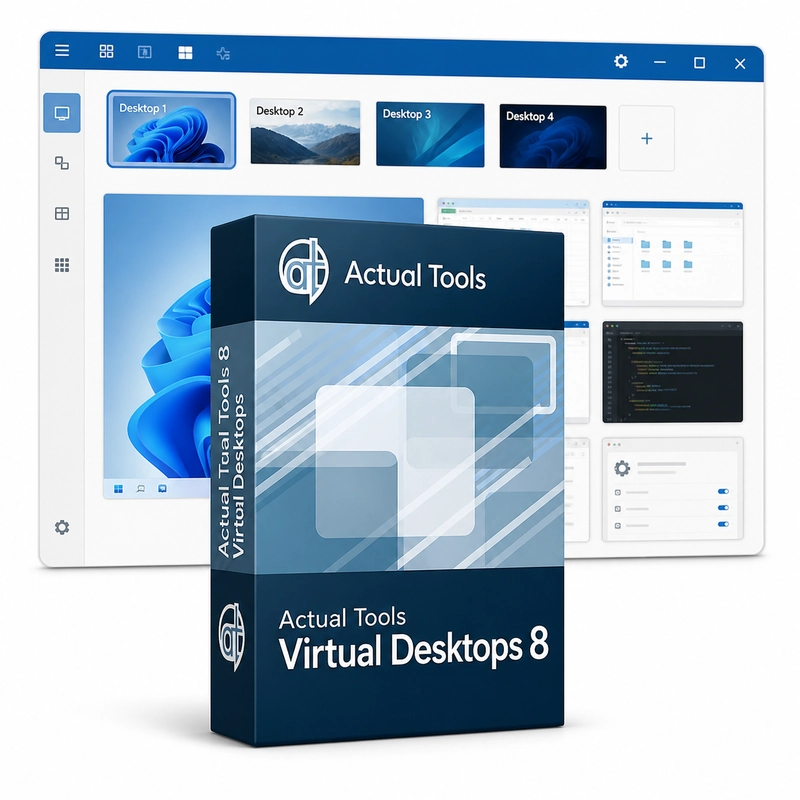
Actual Tools Virtual Desktops 8
In stock
Sold by Get it Cheap, LLC · Is this legit?
- Key in your accountDelivered automatically once payment is confirmed.
- Setup guideStep-by-step installation and activation, next to your key.
- Won’t activate?Report it within 14 days and we replace or refund it · Refund Policy
Overview
For separating several tasks into manageable groups of windows. Actual Tools Virtual Desktops 8 adds as many virtual desktops as you need, each with its own name and wallpaper. A Virtual Desktops Switcher shows thumbnails of every desktop, and windows move between desktops with a title-bar button, a window-menu command, hotkeys or automatically when a program starts. In Independent mode each monitor has its own set of desktops. Separate desktops provide a way to divide work by activity. One workspace might contain a writing task and its references, while another holds communication tools or a different project. Switching the visible desktop changes the group of windows in front of you, reducing the need to minimise and restore many applications by hand. It is particularly useful when a single screen must accommodate several working contexts. Virtual desktops organise existing application windows. They do not create separate virtual machines or isolated operating systems, and applications still share the same computer resources. Plan the desktop groups around how you work, then check any automatic placement rules before relying on them for a complex workspace.
Features
- Unlimited named virtual desktops
- Switcher window with desktop thumbnails
- Custom wallpaper for each desktop
- Move windows by button, hotkey or startup rule
- Independent desktops per monitor
Specs
- Platform
- Windows
- License type
- Retail
- Devices
- 2 PCs
- Region restrictions
- Global
- Activation
- Product key
- Duration
- Lifetime
Global means we sell this key without a region lock. The publisher can still restrict use in some countries under its own terms.
Lifetime means the license does not expire. It does not mean the publisher still updates or supports this version — that can end earlier.